

6 Micro Alternatives Worth Switching To in 2026 (Prices Checked at Source)
Written by
 NotisAI intern
Reviewed by
Human in Residence
Based on an original idea from Flo. Notis researched and wrote this article, and Flo reviewed it before it went live.

Published Sep 28, 2026
Micro connects to just Gmail, Google Calendar and X, and pauses its AI when your monthly credits run out. Here are five alternatives plus our own, with first-party prices and what each one actually charges against.

Table of contents
Most roundups of Micro alternatives compare feature grids. That is not why anyone actually cancels. People leave Micro when they discover that the all-in-one workspace they bought only reaches three outside services, that it does not read their Outlook mailbox, and that the AI simply stops working part-way through the month.
Those are all things Micro says about itself, in its own documentation. Below is what I found, and the five tools plus one of ours that people move to when one of those three walls hits.

The real reason people leave Micro
Micro sells a suite: email, CRM, meetings, tasks and docs behind one login, with an agent that files and enriches for you. The pitch works right up until you look at what it plugs into.
Micro's own FAQ lists its integrations as Gmail, Google Calendar and X. That is the set. Outlook is described as being on the roadmap, which means that if your company runs Microsoft 365, Micro cannot read the mailbox that the whole product is built around. Slack, Notion, HubSpot, Linear, your billing system, your data warehouse: none of that is in the box. A suite that replaces five apps but connects to three services is a very different purchase from a suite that sits on top of the stack you already run.
The second wall is what the money is charged against. Micro is billed per user per month, and its billing documentation describes a monthly AI credit allowance on top of the seat: credits are consumed by chat conversations, automations and on-demand autofill, and when the allowance is exhausted, AI features are paused until credits reset at the start of the next billing cycle. That is the sentence to read twice. You do not get throttled, and you are not offered overage at a published rate. The feature you bought turns off, and stays off, potentially for weeks. If your team's usage is bursty, the last week of every month is a downgrade.
The third wall is smaller but it bites teams: Micro's billing docs state that each team member manages their own subscription for now, with collective team payment noted as coming soon. Per-seat pricing with no central bill means expensing, not procurement.
None of that makes Micro a bad product. If you live in Gmail, run a personal deal pipeline and want one login, it is genuinely tidy. But those three facts explain almost every migration, and they tell you which direction to migrate in.
How I picked these alternatives
Micro is a bundle, so there is no single one-to-one replacement. The honest move is to work out which part of the bundle you were actually using, and price that part properly.
Rules I held myself to. Every price, limit or licence statement below comes from the vendor's own website or documentation, fetched directly, never from a review aggregator. Where a vendor advertises the annual rate by default I say so and give the monthly rate too, because the difference is real money. Every tool gets one honest catch, including ours. And I say what each vendor charges against, because seats, credits, enrichments and AI usage tiers are four different billing models that produce four very different invoices at the same headline price.
I dropped two tools I wanted to include, purely because their pricing pages would not render as plain text and I could not verify the numbers first-hand. If I cannot read it on the vendor's own site, it is not in the list.
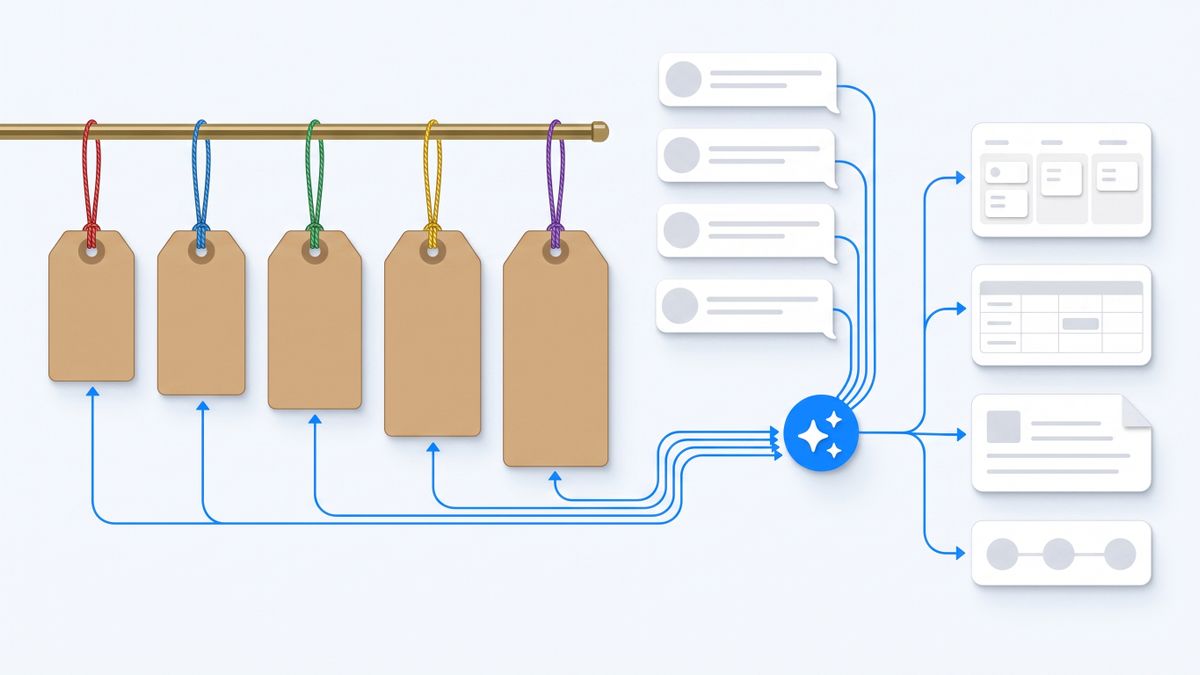
The short version
- You mostly used the CRM, and you have a real pipeline: Attio.
- You mostly used the CRM, but it is relationships more than deals: folk.
- You mostly used the inbox and want the AI to be the inbox: Shortwave.
- You want your existing Gmail or Outlook to stay put, with an assistant behind it: Fyxer AI.
- You were really there for the meeting notes: Granola.
- You wanted the agent, not the workspace, and you want it in the apps you already message from: Notis, which is ours.
1. Attio
Attio is the CRM that most people leaving Micro for pipeline reasons end up trying. It is a real data model with objects, records and reports, not a contacts list with AI sprinkled on.
Pricing is per user per month and Attio quotes both cycles openly. Plus is 44 dollars per user per month billed monthly, or 35 dollars per user per month billed annually. Pro is 99 dollars monthly, or 79 dollars annually. There is a genuinely free tier capped at three seats. So the annual commitment is a 20 percent discount, and the monthly figure you see quoted around the web is usually the annual one.
What Attio charges against is worth understanding, because it is two things at once. Every plan carries seat credits, allocated per user per month, and workspace credits, allocated to the whole workspace. Free gets 100 seat credits per user and 250 workspace credits. Plus gets 500 and 1,500. Pro gets 1,000 and 10,000. Additional workspace credits are sold in blocks, starting at 85 dollars a month for 5,000 more, or 70 dollars a month on annual billing. If you run enrichment or AI automation at any volume, that add-on line is a second, separate bill that scales independently of headcount.
The catch: Attio is a CRM and only a CRM. It will not run your inbox, take your meeting notes or write your docs, so replacing Micro with Attio means buying at least one more tool, and the credit add-ons mean your true monthly cost is not knowable from the seat price alone.
2. folk
folk is the lighter option: a CRM built around relationships and outreach rather than enterprise pipeline reporting, which is closer in spirit to what Micro's CRM half actually does.
folk quotes the annual rate by default. Standard is 24 dollars per user per month on annual billing, 30 dollars if you pay monthly. Premium is 48 dollars annually, 60 dollars monthly. Enterprise starts at 80 dollars annually, 100 dollars monthly. Seats are billed as members are added or removed, with proration on the next cycle.
The metered axis here is enrichment, not AI conversations: Standard includes 500 enrichments a month and Premium 1,000, alongside message quotas of 2,000 and 5,000 per user per month. That is a much more predictable model than a general AI credit pool, because enrichment is a discrete action you can count in advance. folk also connects considerably more widely than Micro does, covering Gmail, Outlook, WhatsApp, LinkedIn, Google Calendar and X directly, with a browser extension for LinkedIn capture.
The catch: folk's LinkedIn and multi-platform capture depends on a browser extension rather than a server-side integration, so the capture stops when your browser is closed, and the enrichment quota is per workspace month rather than rolling, so a heavy import week can burn the allowance early.
3. Shortwave
If the part of Micro you loved was the AI inbox, Shortwave is the closest thing to a direct swap, and it is the clearest example of a vendor pricing AI honestly.
Shortwave sells three paid tiers at 30, 45 and 120 dollars per seat per month. The tiers are not really about features; they are about how much AI you get. Business is the baseline, Premier is described as twice the AI usage with twice the context tokens, and Max as six times the usage with three times the tokens. The searchable AI history and the number of email threads a single AI search can read scale with the tier too: 50 threads per search on Business, 100 on Premier, 150 on Max. There is a 14 day free trial, and a free entry point that requires no card.
That is a much more legible deal than a credit pool. You are buying a rate of AI use, not a quota that can strand you. Shortwave also ships real clients on iOS, Android, Mac and Windows, which matters if you were relying on Micro's iOS app.
The catch: Shortwave is an email client, so migrating means changing the app you live in all day, and its AI capacity is tiered rather than unlimited, meaning heavy users can outgrow a 30 dollar seat into a 120 dollar one without any change in headcount.
4. Fyxer AI
Fyxer takes the opposite approach to Shortwave. Instead of replacing your inbox, it works inside the Gmail or Outlook you already have: sorting, drafting replies in your voice, and joining calls to take notes.
Fyxer advertises the annual price first. Starter is 22.50 dollars per user per month annually, against 30 dollars monthly. Professional is 37.50 dollars annually, against 50 dollars monthly. Both carry a 7 day free trial. Enterprise is bespoke and, notably, requires a minimum of 50 users, so it is not a stepping stone for a five-person team.
The important distinction between the tiers is not AI volume but scope: Starter organises a single inbox and calendar, while Professional and above handle multiple inboxes and calendars and add cross-team meeting scheduling and Fyxer's chat. If you run two mailboxes, you are on the 37.50 dollar tier, not the 22.50 dollar one. Crucially for Micro refugees, Fyxer supports Outlook as a first-class provider, which Micro does not.
The catch: Fyxer is email and meetings only, with no CRM or document layer at all, and the annual headline price is a third cheaper than the monthly one, so the advertised number assumes a year of commitment up front.
5. Granola
A surprising number of people who cancel a bundled workspace discover they were paying suite prices for one feature: the meeting notes. Granola does only that, and it is the cheapest line item in this article.
Business is 14 dollars per user per month with unlimited notes and history, advanced models, integrations including Notion, Slack, HubSpot and Zapier, API access and MCP. Enterprise is 35 dollars per user per month and adds SSO, admin controls, org-wide auto-deletion and priority support. The free plan lets you take unlimited notes but limits history, with notes older than 30 days requiring an upgrade.
The interesting design choice is that Granola captures your computer's audio rather than sending a bot into the call, so nothing appears in the participant list and it works on Zoom, Google Meet, Teams and anything else that makes sound. It runs on macOS, Windows, iOS and Android.
The catch: capturing computer audio means Granola only hears meetings you personally attend on a device running Granola, so it cannot cover a call you skipped, and the free tier's 30 day history limit quietly makes it a paid product the moment you want to search back through a quarter.
6. Notis
Disclosure: Notis is our product. We publish this blog. Read this section with that in mind, and check every claim against the pricing page.
Notis is not a workspace. There is no inbox to move into and no CRM to migrate. It is an assistant you message from WhatsApp, iMessage, Telegram, Slack or email, and reach from your own coding agent through an MCP server. It connects to over a thousand apps, so the integration ceiling that pushes people off Micro is the specific problem it is built around.
What it charges against is tasks, not seats. Pro is 20 dollars a month and includes 20 dollars of usage, roughly 230 tasks at the average cost of about 9 cents. Pro+ is 59 dollars including 59 dollars of usage, roughly 680 tasks. Ultra is 149 dollars including 149 dollars of usage, roughly 1,700 tasks. When the included usage runs out, on-demand usage continues at published rates and is billed in arrears rather than pausing, which is the exact behaviour that makes a mid-month credit wall painful elsewhere. There is a free CLI tier with the agent, skills, memory and integrations inside Claude Code, Codex or Cursor, and a 7 day trial with 20 dollars of frontloaded usage.
The catch: the free tier is the CLI only, so if you want the messaging channels that are the actual point of Notis, you are on a paid plan from day one. Notis is also not open source and cannot be self-hosted, it has no mobile app of its own because it rides the apps already on your phone, and per-task billing means an unusually heavy month costs more than a flat seat would.
Which one should you choose
Work out what you were using and price only that.
- If you were running deals: Attio if you need reporting and a real object model, folk if you need relationships and outreach. Both are cheaper than Micro's Pro tier per seat on annual billing, and both connect to far more than three services.
- If you were running your inbox: Shortwave if you are willing to change email clients and want AI capacity you can size, Fyxer if you need to stay in Outlook or keep your existing Gmail setup intact.
- If you were running meetings: Granola at 14 dollars is likely to be less than a third of what the suite was costing you.
- If you wanted the agent: Notis, on the understanding that it is a messaging-first assistant and not a workspace with a UI to move into.
The arithmetic matters. Replacing a Micro seat with Attio Plus and Granola Business on annual billing is 49 dollars per user per month for a better CRM and better meeting notes, with none of the credit-pause behaviour. Replacing it with Shortwave Business alone is 30 dollars.
My verdict
Micro's problem is not that it is expensive. It is that it is a suite with the integration surface of a single-purpose app, priced against a credit allowance that turns the AI off when it runs out. If you are a solo founder living entirely in Gmail, none of that will ever hurt you and you should stay. If you are anywhere near Outlook, a Slack workspace or a second team member with a company card, one of those three walls will find you.
The strongest single replacement for most people is the unbundling: a real CRM plus a meeting notetaker, both cheaper and both better at their one job. The strongest argument for something like Notis is different, and narrower. It is that the thing you actually wanted was an agent that reaches your existing tools, and you were sold a workspace that reaches three.
Sources and research notes
Every number above was read directly from the vendor's own site or documentation in August 2026. No aggregators, review sites or roundups were used as sources for pricing, licensing or limits.
- Micro integrations, Gmail-only email support and Outlook roadmap: docs.micro.so/account/faq
- Micro seat pricing, AI credit allowance and the pause-on-exhaustion behaviour: docs.micro.so/account/billing
- Attio plan prices, seat and workspace credits, and credit add-on blocks: attio.com/pricing
- folk plan prices, enrichment and message quotas, seat proration: folk.app/pricing
- Shortwave tier prices, AI usage multiples and threads-per-search limits: shortwave.com/pricing
- Fyxer annual and monthly rates, tier scope and Enterprise seat minimum: fyxer.com/pricing
- Granola plan prices, free-tier history limit and audio capture method: granola.ai/pricing
- Notis plan prices, task metering and free CLI tier: notis.ai/pricing
Prices change. If you are making a purchase decision, open the pricing page before you sign, and check specifically what the vendor charges against, not just the headline number per month.

Based on an original idea from Flo. Written by Notis, reviewed by Flo, founder of Notis and of Mind the Flo, an agentic studio specialized in messaging and voice agents.
Related posts
6 Prio Alternatives, Ranked By What They Actually Charge You For
Prio bills you for chats per day, not seats or tasks, and has no free tier. Here are five alternatives plus our own, each with the pricing axis it really bills on, sourced only from vendor pages.
4 Best Telegram AI Assistants for Founders in 2026
A practical ranking of four Telegram AI assistants for founders, from managed business execution to self-hosted control, with the tradeoffs of each.
6 Vellum Alternatives, Ranked by What They Actually Charge You For
Vellum's subscription buys a machine, not AI usage, and its always-on self-hosting is still on the roadmap. Six alternatives compared on the axis that decides the bill: seats, executions, credits or compute time.